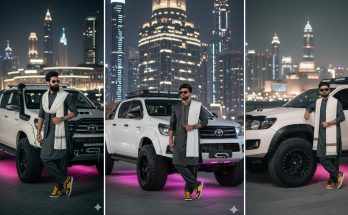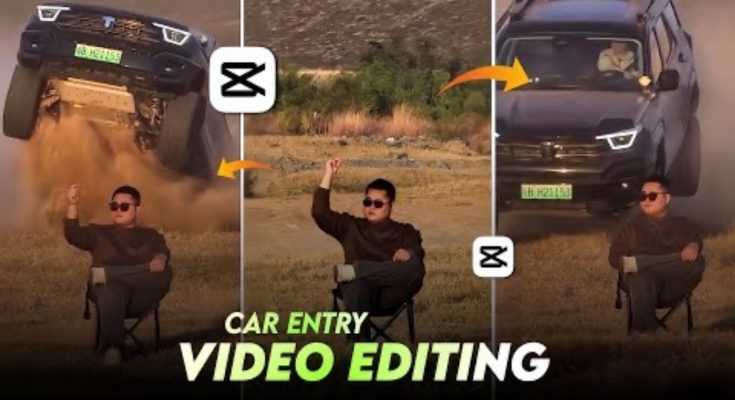
You’ve seen them—those sleek, high-energy videos where a car “slides” into the frame, perfectly synced with a heavy bass drop, followed by a cinematic transition. These “Car Entry” reels are dominating Instagram and TikTok right now. If you are a car enthusiast or a content creator, mastering this specific edit is your fast track to going viral.
In 2026, you don’t need a professional film crew or a $5,000 PC to create these masterpieces. All you need is your smartphone and the right set of tools. At ApkMale, we provide the most updated editing resources to help you stay ahead of the curve.
In this guide, we will break down exactly how to create a trending car entry video that looks like it was edited by a pro, even if you are a total beginner.
Why Car Entry Videos Are Trending So Fast
The psychology behind these videos is simple: High Energy + Visual Satisfaction. The quick cuts and the “smooth” movement of a car entering the scene provide a shot of adrenaline to the viewer.
When you combine a luxury or modified car with synchronized music, the Instagram algorithm picks it up almost instantly. By using the premium unlocked features from ApkMale, you can add the exact motion blur and color grading effects that make these videos stand out from the thousands of generic uploads.
Essential Tools for Cinematic Car Editing
Before we dive into the “how-to,” you need the right “hardware” (apps). While there are many editors, three stand out for this specific trend:
1. CapCut (The Industry Favorite)
CapCut’s “Auto-Velocity” and “Motion Blur” features are tailor-made for car entries. It allows you to sync the car’s movement to the beat automatically.
2. VN Video Editor (For Manual Control)
If you want to manually adjust the speed curves to make the car entry look more realistic, VN is the best choice. It offers a clean timeline without any watermarks.
3. Alight Motion (For Advanced VFX)
For those who want to add “Glow” effects to the headlights or “Shake” effects on the beat, Alight Motion is the king of mobile VFX. Many creators visit ApkMale to get the full version of these apps to access premium preset transitions.
Step-by-Step Guide: Editing Your First Car Entry Video
Follow these steps to create a high-quality reel.
Step 1: Record the Right Footage
Don’t just film a moving car. Record the car entering the frame from the side at a steady speed. For the best “Cinematic” look, film in 4K at 60fps. This allows you to slow down the footage later without it looking choppy.
Step 2: Import and Trim
Open your editor and import your clip. Trim the beginning so the video starts exactly when the car’s front bumper enters the screen.
Step 3: Use “Velocity” Editing
This is the secret sauce. You don’t want the car to move at a constant speed.
- Fast when it first enters.
- Slow Motion just as the car reaches the center.
- Fast again as it exits or transitions to the next shot.
Step 4: Add Motion Blur
In 2026, “Realism” is the trend. Adding a 50-70% motion blur effect during the fast parts of your velocity curve makes the car look like it’s moving at 200 mph, even if you were only going 20.
Step 5: Audio Synchronization
Find the “Trending Audio” on Instagram. Match the “Drop” of the song with the moment the car is perfectly centered in the frame. At ApkMale, we suggest using apps that allow you to see the “Audio Waveform” clearly for 100% accuracy.
Step 6: Color Grading (The “Dark Cinematic” Look)
Lower the exposure, increase the contrast, and add a “Teal and Orange” filter. This gives the car a high-end, commercial look.
Benefits of Professional Car Editing
Why put in the extra effort?
- Higher Engagement: Cinematic videos have a 40% higher “Re-watch” rate.
- Brand Growth: If you are a car dealer or detailer, high-quality edits attract premium clients.
- Skill Development: Learning velocity editing and color grading opens doors to other types of content creation.
- Algorithm Favor: Instagram rewards high-definition videos with smooth transitions.
Using the premium tools from ApkMale ensures that your final export doesn’t have a cheap watermark, which is vital for building a professional brand.
Common Problems & Simple Solutions
Problem: My video looks “shaky” and unprofessional.
- Solution: Use the “Stabilization” feature found in CapCut or VN. If that doesn’t work, try filming with a gimbal or use the “Wide Angle” lens on your phone for more stability.
Problem: The music and the car entry are not matching.
- Solution: Zoom into your timeline. Sometimes a 0.1-second difference is all it takes to ruin the “vibe.” Align the “Peak” of the audio wave with the first frame of the car entry.
Problem: The video quality drops after uploading to Instagram.
- Solution: Always export in 1080p, 30fps (or 60fps) with a high bitrate. Before uploading, go to Instagram Settings > Account > Data Usage > and turn on “Upload at Highest Quality.”
Tips from the Pros at ApkMale
- Sound Effects (SFX): Don’t just use music. Add a “Whoosh” sound when the car enters and a “Turbo Flutter” or “Exhaust Pop” at the beat drop.
- Lens Flare: Add a subtle anamorphic lens flare to the car’s headlights for a Hollywood feel.
- Overlay: Use a “Grain” or “Dust” overlay to give the video a vintage film aesthetic.
Frequently Asked Questions (FAQs)
1. Which is the best app for Car Entry editing on Android? CapCut is generally the best due to its “Auto-Velocity” feature. You can find the latest unlocked versions on ApkMale to get all the pro transitions for free.
2. How do I get the “Smooth Slow Motion” look? To get smooth slow-mo, you must record in at least 60fps. When editing, use “Optical Flow” or “Smooth Slow-Mo” settings in your app to prevent ghosting.
3. Do I need a professional camera for these videos? No. Most modern smartphones (iPhone 13+ or Samsung S21+) have excellent sensors that are more than enough for Instagram content.
4. Is it legal to use trending music in my edits? On Instagram and TikTok, you can use the built-in music library legally. However, if you are posting on YouTube, ensure you have the rights to the song or use royalty-free “Phonk” music.
5. How long should a Trending Car Entry video be? Ideally, between 7 to 12 seconds. Short, punchy videos have the highest completion rate, which tells the algorithm to show it to more people.
Conclusion
The Instagram Trending Car Entry edit is more than just a passing phase; it is a display of digital art that combines timing, sound, and motion. By following the steps in this guide and utilizing the professional-grade apps available at ApkMale, you can turn a simple clip of a car into a viral sensation.
Remember, the best edits come from practice. Don’t be afraid to experiment with different filters and speeds until you find your signature style.