ChatGPT has become one of the most popular AI tools for students, writers, freelancers, developers, business owners, and everyday users. It can help with writing, brainstorming, research, coding, summaries, learning, planning, image-related tasks, and many other daily workflows. The main reason people like ChatGPT is simple: it feels easy to use. You type a question or instruction, and it gives you a clear response in seconds.
But like any tool, ChatGPT is not perfect. It can save time, improve productivity, and help you think faster, but it still needs human checking. OpenAI also notes that ChatGPT can produce incorrect or misleading answers, so important information should always be verified before you rely on it.
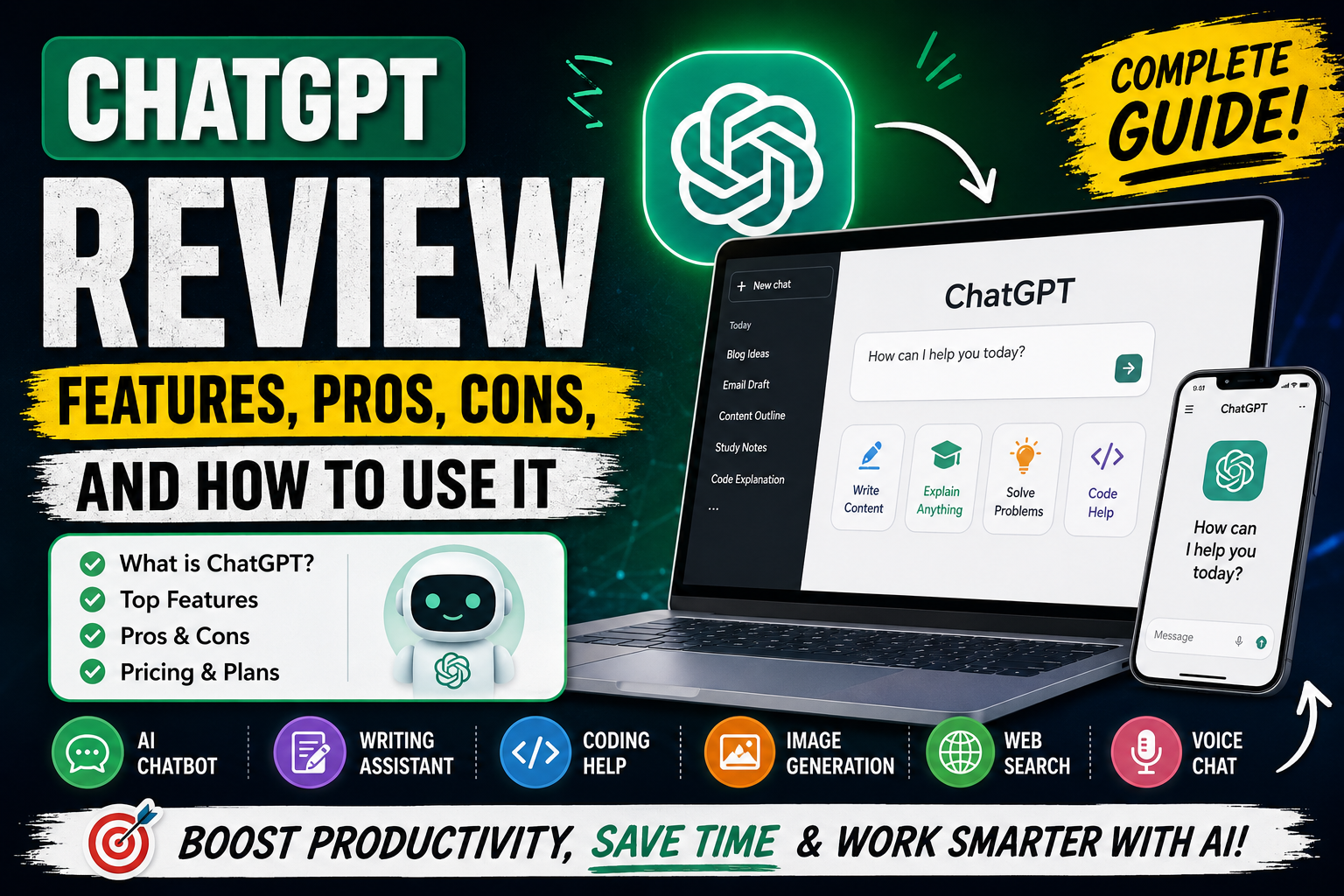
In this ChatGPT review, we will look at its main features, best use cases, pros, cons, pricing overview, and a simple step-by-step guide on how to use ChatGPT effectively. This review is written for beginners as well as people who want to understand whether ChatGPT is useful for blogging, freelancing, study, office work, coding, and content creation.
What Is ChatGPT?
ChatGPT is an AI chatbot developed by OpenAI. It allows users to ask questions, write prompts, discuss ideas, solve problems, generate content, analyze information, and get assistance with different types of tasks. OpenAI describes ChatGPT as an AI chatbot that can help users discover, learn, and create.
The basic idea is simple. You write what you need, and ChatGPT responds in a conversational style. You can ask it to explain a topic, write an email, create a blog outline, fix code, summarize text, generate ideas, review content, or help you plan something step by step.
ChatGPT is useful because it does not require technical knowledge to get started. A beginner can use it for simple questions, while an advanced user can use it for deeper work like coding, content strategy, research planning, app ideas, business documents, and productivity workflows.
Key Features of ChatGPT
1. Text-Based Chat
The main feature of ChatGPT is text conversation. You can ask a question, give instructions, or provide content for editing. For example, you can ask it to write a product description, explain a school topic, rewrite an email, create YouTube title ideas, or prepare a blog post outline.
The quality of the output depends heavily on your prompt. A short prompt may give a basic answer, while a detailed prompt usually gives a more useful result. If the first answer is not perfect, you can ask ChatGPT to revise it, make it shorter, add examples, change the tone, or explain it more simply.
2. Voice Conversations
ChatGPT also supports voice conversations in supported apps and plans. OpenAI says users can talk with ChatGPT in real time when speaking is easier than typing, such as for brainstorming, learning, practicing, or staying hands-free.
This feature is useful for people who prefer speaking instead of typing. For example, you can practice English conversation, discuss an idea while walking, ask for quick explanations, or use it like a voice assistant for planning.
3. Image Input and Image Generation
ChatGPT can work with images in different ways. According to OpenAI’s capabilities overview, ChatGPT can analyze uploaded images, diagrams, screenshots, and charts. Users can ask what is shown in an image, extract information, or get help interpreting visuals. ChatGPT can also generate creative visuals from text prompts and modify images using natural language instructions.
This makes ChatGPT useful for designers, bloggers, students, app developers, and content creators. For example, you can upload a screenshot and ask for UI improvement suggestions, ask it to explain a chart, create a thumbnail prompt, or generate design ideas for a website or app.
4. Web Search for Timely Answers
ChatGPT can also search the web in supported modes. OpenAI introduced ChatGPT search to provide timely answers with links to relevant web sources, especially for information like news, sports scores, stock quotes, and other current topics. Users can let ChatGPT choose when to search or manually use the web search option.
This is important because AI models may not always have the latest information in memory. When you need current data, such as pricing, software updates, exam results, product specifications, or recent news, web search can make the answer more useful.
5. Canvas for Writing and Coding
Canvas is another useful feature for people working on longer writing or coding projects. OpenAI describes canvas as an interface for writing and coding projects that need editing and revisions. It helps users work on a project with more context and focus.
For writers, canvas can help with long articles, scripts, emails, reports, and content drafts. For developers, it can help review code, improve structure, fix bugs, and revise files more easily. It is especially helpful when you want to edit a specific section instead of rewriting everything from the beginning.
6. Coding Help
ChatGPT can help developers understand code, generate examples, debug errors, explain programming concepts, and plan projects. OpenAI’s ChatGPT overview also highlights Codex for coding and technical work, describing it as a coding agent that can help across planning, writing, testing, reviewing, and shipping code.
For beginners, ChatGPT can explain code in simple language. For experienced developers, it can help create boilerplate code, review logic, suggest improvements, or explain error messages. However, developers should still test everything manually because AI-generated code can contain mistakes.
7. Memory and Personalization
ChatGPT can also use memory features in supported settings to provide more personalized responses. OpenAI’s release notes mention upgraded memory that helps ChatGPT keep context more up to date and reduce stale or contradictory saved memories.
This can be useful for people who repeatedly work on similar tasks. For example, if you often create blog posts, app descriptions, YouTube scripts, or coding projects, memory can help ChatGPT adapt to your preferred style and workflow. Users should still review memory settings and control what they want saved.
8. Data Controls
OpenAI provides data controls for ChatGPT users. The Help Center explains that Data Controls allow users to choose whether conversations are used to improve models, and they also give options such as exporting ChatGPT data and deleting an account.
This is important for privacy-conscious users. If you are working with personal, client, business, or sensitive content, you should understand these settings before using the tool heavily.
ChatGPT Pricing Overview
ChatGPT has different plans, and availability can change over time. OpenAI’s pricing page lists personal plans such as Free, Go, Plus, and Pro, along with business and enterprise options. The Free plan includes limited access to ChatGPT features, while paid plans offer expanded access, more messages, uploads, image creation, memory, advanced models, projects, and other features depending on the plan.
OpenAI’s Help Center says ChatGPT Plus is a subscription plan that provides enhanced access to the ChatGPT web app for $20 per month, with benefits such as priority access during high-traffic periods, higher model limits, and advanced reasoning access depending on what is available to the account.
For most beginners, the free plan is enough to test the tool. For bloggers, freelancers, students, and professionals who use ChatGPT daily, a paid plan may be more useful because of higher limits and more advanced features. However, pricing and feature availability can change, so users should check the official pricing page before making a decision.
How to Use ChatGPT Step by Step
Step 1: Create or Open Your Account
Go to ChatGPT and sign in or create an account. Once you are inside, you will see a chat box where you can type your question or instruction. Beginners can start with simple tasks like “Explain digital marketing in simple words” or “Write a short email for a job application.”
Step 2: Write a Clear Prompt
A prompt is the instruction you give to ChatGPT. The clearer your prompt, the better the response. Instead of writing “write article,” give more detail.
Example:
“Write a 1200-word beginner-friendly article on how to use ChatGPT for blogging. Add headings, FAQs, pros, cons, and a natural tone.”
This type of prompt gives ChatGPT more direction and usually produces a better result.
Step 3: Add Context
Context helps ChatGPT understand your need. If you are writing for a blog, mention the audience, tone, word count, and topic. If you are asking for code, mention the programming language, framework, error message, and expected result.
Example:
“I am writing for beginner bloggers. Keep the tone simple, helpful, and non-technical.”
This makes the output more targeted.
Step 4: Ask for Revisions
You do not need to accept the first answer. You can ask ChatGPT to improve it. For example:
“Make this more professional.”
“Add examples.”
“Make it easier for beginners.”
“Shorten the introduction.”
“Add SEO keywords naturally.”
“Rewrite it in a more human blog tone.”
This revision process is one of the best ways to get better results.
Step 5: Verify Important Information
ChatGPT is helpful, but it can make mistakes. OpenAI clearly states that it can produce incorrect or misleading outputs and may sound confident even when wrong.
For topics like health, finance, law, education results, product pricing, software updates, and current news, always verify information from official or trusted sources before publishing.
Step 6: Edit Before Publishing
If you are using ChatGPT for blogging, do not publish the output without editing. Add your own examples, screenshots, experience, opinions, and practical tips. This makes the article more original and useful.
For AdSense approval, Google says your content should be high-quality, original, and interesting enough to attract an audience. Google also says a site needs unique content that is relevant to visitors and provides a good user experience to succeed with AdSense.
Best Uses of ChatGPT
1. Blogging and SEO Content
ChatGPT can help bloggers create topic ideas, outlines, intros, FAQs, meta descriptions, title suggestions, and content drafts. It can also help rewrite content in a clearer tone.
However, for SEO and AdSense, you should not rely only on automated content. Add your own research, examples, screenshots, personal experience, and helpful details. This improves quality and makes the content more valuable for readers.
2. Freelancing
Freelancers can use ChatGPT for proposals, client messages, service descriptions, project planning, and content drafts. It can save time when writing repetitive business communication.
For example, a freelancer can ask ChatGPT to write a professional Upwork proposal, create a project delivery message, or prepare a client-friendly explanation of a service.
3. Students and Learning
Students can use ChatGPT to understand difficult topics, summarize notes, create study plans, practice questions, and explain concepts in simple language. It is useful as a learning assistant, but it should not be used for cheating or submitting copied answers.
A good way to use it is to ask:
“Explain this topic like I am a beginner.”
“Give me examples.”
“Quiz me on this chapter.”
“Summarize this lesson in bullet points.”
4. Coding and App Development
Developers can use ChatGPT to write sample code, explain errors, review logic, and generate project ideas. It can be useful for Android development, web development, Python scripts, database logic, and API planning.
But code should always be tested. AI can write code that looks correct but fails in real conditions. Developers should review security, performance, and compatibility before using it in production.
5. Business Productivity
Business users can use ChatGPT for meeting notes, email drafts, reports, brainstorming, customer support templates, social media posts, and workflow planning.
For small businesses, it can be a helpful assistant for daily writing and planning tasks. It can also help create checklists, standard operating procedures, and simple marketing content.
Pros of ChatGPT
1. Easy to Use
ChatGPT is simple enough for beginners. You do not need coding or technical knowledge to start. Just type your question or instruction and continue the conversation.
2. Saves Time
It can quickly create outlines, drafts, summaries, ideas, and explanations. This can save time for bloggers, students, freelancers, and office workers.
3. Useful for Many Tasks
ChatGPT is not limited to one use case. It can help with writing, learning, planning, coding, research, image analysis, brainstorming, and productivity.
4. Good for Brainstorming
If you are stuck, ChatGPT can give ideas quickly. For example, it can suggest blog titles, YouTube video ideas, app names, business names, email structures, or content angles.
5. Supports Follow-Up Questions
You can continue the conversation and ask for changes. This makes the workflow flexible and interactive.
6. Helpful for Learning
ChatGPT can explain topics in simple words, give examples, and adjust explanations based on your level. This makes it useful for beginners.
Cons of ChatGPT
1. It Can Make Mistakes
The biggest limitation is accuracy. OpenAI says ChatGPT can produce incorrect or misleading outputs and may sound confident even when wrong. This means users should verify important information.
2. It May Need Strong Prompts
If your prompt is unclear, the answer may be too general. To get high-quality results, you need to provide details, context, format, tone, and examples.
3. Not a Replacement for Expert Advice
ChatGPT can explain topics, but it should not replace qualified professionals for legal, medical, financial, or high-risk decisions.
4. Content Still Needs Editing
For blogging and SEO, ChatGPT drafts should be edited before publishing. Add original images, examples, internal links, updated facts, and personal experience.
5. Limits Depend on Plan
Free and paid plans have different limits, and model availability can change over time. OpenAI notes that model availability and limits can change, so users should check the model picker and official plan details for current access.
Is ChatGPT Good for Bloggers?
Yes, ChatGPT can be very useful for bloggers, especially for topic research, outlines, introductions, FAQs, meta descriptions, and draft writing. But bloggers should use it as an assistant, not as a replacement for original work.
For AdSense-focused blogs, the article should not look like generic copied content. Google expects high-quality, original content that provides value to visitors.
A good blogging workflow is:
Choose a keyword.
Research the topic.
Ask ChatGPT for an outline.
Write or revise the article with your own examples.
Add original screenshots or images.
Check facts from official sources.
Add FAQs and internal links.
Publish with clear formatting.
This approach creates better content than simply generating and posting a full article without editing.
Is ChatGPT Worth Using?
ChatGPT is worth using if you want to save time, improve productivity, learn faster, brainstorm ideas, write better drafts, or get help with everyday tasks. It is especially useful for bloggers, students, freelancers, developers, marketers, and small business owners.
However, it is not a magic tool. It needs good prompts, human review, fact-checking, and editing. If you use it carefully, it can become a strong assistant for daily work.
Final Verdict
ChatGPT is one of the most useful AI tools available today because it combines writing help, research support, coding assistance, image understanding, voice conversation, and productivity features in one platform. It is easy for beginners but powerful enough for advanced users.
The best way to use ChatGPT is to treat it like a smart assistant. Let it help with ideas, drafts, explanations, and structure, but always add your own judgment, examples, and fact-checking. For bloggers and website owners, this is especially important because AdSense-friendly content should be original, helpful, and valuable to readers.
Overall, ChatGPT is a strong tool for writing, learning, coding, planning, and productivity. It has some limitations, but when used properly, it can save time and improve the quality of your work.
FAQs
What is ChatGPT used for?
ChatGPT is used for writing, learning, brainstorming, summarizing, coding help, research support, planning, image analysis, and general productivity tasks.
Is ChatGPT free?
ChatGPT has a Free plan, and OpenAI also offers paid plans such as Go, Plus, Pro, Business, and Enterprise options depending on user needs and availability.
How much does ChatGPT Plus cost?
OpenAI’s Help Center lists ChatGPT Plus at $20 per month, with enhanced access to the ChatGPT web app and benefits such as priority access and higher model limits.
Can ChatGPT make mistakes?
Yes. OpenAI says ChatGPT can produce incorrect or misleading outputs and may sound confident even when it is wrong. Important information should be checked before use.
Is ChatGPT good for SEO writing?
ChatGPT can help with SEO writing by creating outlines, meta descriptions, FAQs, title ideas, and draft content. However, final content should be edited, fact-checked, and improved with original examples before publishing.
Can ChatGPT generate images?
Yes. ChatGPT can generate creative visuals from text prompts and can also help modify images using natural language instructions in supported experiences.
Is ChatGPT good for coding?
ChatGPT can help explain code, generate examples, debug issues, and plan development tasks. OpenAI also highlights Codex for coding and technical work inside the ChatGPT experience.
Is ChatGPT safe for AdSense blog content?
ChatGPT can help create blog drafts, but you should edit the content, add original value, avoid copied material, verify facts, and follow Google AdSense content quality expectations. Google says AdSense content should be high-quality, original, and valuable to visitors.