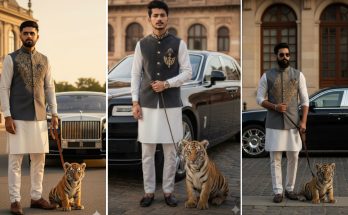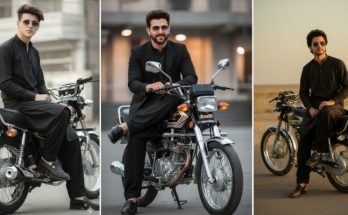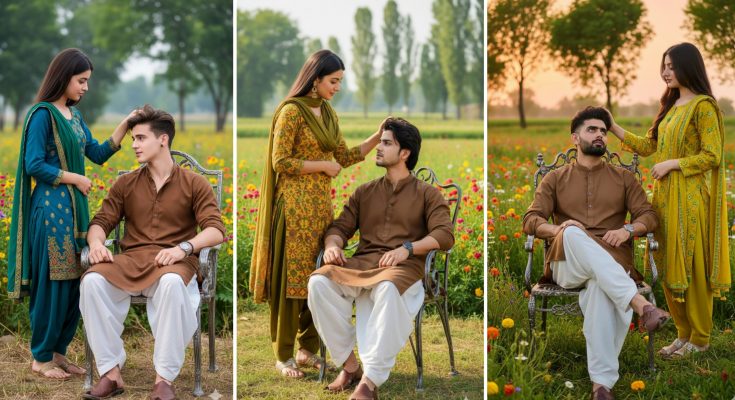
Have you seen those beautiful, hyper-realistic AI photos on social media featuring a girl in a serene, traditional village setting? This “Girlfriend in Village” aesthetic is currently one of the biggest trends on platforms like Instagram and TikTok. It captures a sense of peace, tradition, and natural beauty that people find incredibly refreshing.
In 2026, Google Gemini has evolved into a top-tier tool for creating these cinematic images. However, getting the lighting, the clothing, and the background just right requires a specific “magic” prompt. If you’ve been getting results that look too artificial, you are in the right place.
At ApkMale, we specialize in providing the most accurate and creative AI prompts to help you stay ahead of every trend. In this guide, we will share the exact prompts and settings you need to create your own viral village-themed masterpiece.
Why the Village Aesthetic is Trending in 2026
In a world filled with high-tech cities and neon lights, there is a deep nostalgia for the “simple life.” The village aesthetic—featuring golden hour sunlight, green fields, and traditional attire—strikes a chord with millions of viewers.
When you use the premium AI tools and techniques discussed on ApkMale, you can generate images that look like high-budget film stills. This trend is perfect for storytellers, digital creators, or anyone who wants a unique and culturally rich profile picture.
Top Gemini Prompts for the Village Girlfriend Trend
To get the most realistic results, copy and paste these prompts into Gemini. You can change the hair color, dress style, or specific village features to customize the look.
1. The Golden Hour Harvest Look
“A hyper-realistic 8k photo of a beautiful young woman standing in a lush green mustard field in a traditional Punjab village. She is wearing a vibrant yellow ethnic suit with a matching dupatta. The sun is setting in the background (golden hour), creating a soft glow on her face. Shot on an 85mm lens, cinematic lighting, highly detailed fabric textures, photorealistic skin.”
2. The Cozy Village Kitchen Vibe
“A cinematic shot of a girl sitting near a traditional clay stove (Chulha) in a rustic village courtyard. She is wearing a simple floral cotton dress, smiling softly. Smoke rising gently in the background, warm morning sunlight filtering through the trees. Realistic textures, 4k resolution, peaceful atmosphere.”
3. The Rainy Village Pathway
“A beautiful girl walking through a narrow village path after a light rain. She is holding a traditional umbrella, wearing a colorful long skirt and blouse. The ground is wet with reflections of the greenery. Moody, atmospheric lighting, high detail, sharp focus on facial features.”
At ApkMale, we recommend using these prompts with “High Detail” settings to ensure the background elements like mud walls or thatched roofs look authentic.
Step-by-Step Guide: How to Generate and Edit Your Viral AI Photo
Creating a trending image involves more than just clicking “generate.” Follow this pro-level workflow.
Step 1: Access Gemini Advanced
For the best image quality in 2026, use the latest version of Google Gemini. If you need help accessing premium AI features on your mobile device, check out the latest tech guides on ApkMale.
Step 2: Input and Refine the Prompt
Paste your chosen prompt. If the first image isn’t perfect, don’t worry. You can tell Gemini to “make the background more blurry” or “change the dress color to red.”
Step 3: Check for Realism
AI sometimes struggles with hands or background symmetry. Use the “Inpainting” tool to fix any small errors. A perfect image is key to going viral.
Step 4: Upscale the Quality
Standard AI outputs can be a bit blurry for large screens. Use an AI Upscaler (available via the tools on ApkMale) to convert your image into a crisp 4K file.
Step 5: Final Editing in VN or Lightroom
Take your upscaled image into a photo editor. Increase the “Warmth” to enhance the golden hour feel and add a slight “Grain” to make it look like a real film photograph.
Benefits of Using Gemini for Village-Themed Art
Why choose Gemini over other generators for this specific trend?
- Cultural Understanding: Gemini is excellent at recognizing regional clothing styles (like Saris, Kurtas, or Lehengas) and specific village architecture.
- Natural Lighting: It excels at “Sunlight” and “Shadow” rendering, which is crucial for a realistic village look.
- Speed and Ease: You can generate four variations in under 10 seconds, which is perfect for creators on the go.
- Direct Integration: Easily save your images to your Google account for quick sharing.
By staying updated with ApkMale, you ensure that you are always using the latest AI models that support these advanced features.
Common Problems & Simple Solutions
Problem: The background looks like a “green screen.”
- Solution: Add keywords like “Natural depth of field,” “Bokeh,” or “Foliage in foreground” to your prompt. This creates a 3D layer effect that looks much more professional.
Problem: The clothing looks “too perfect” or plastic.
- Solution: Use words like “Woven cotton texture,” “Realistic folds in fabric,” or “Hand-stitched details.” This gives the AI specific textures to focus on.
Problem: The person’s face doesn’t look regional enough.
- Solution: Be specific about the ethnicity in your prompt (e.g., “South Asian features,” “Mediterranean complexion,” etc.) to get a more accurate representation.
Tips for Viral Engagement with AI Village Art
- Tell a Story: In your caption, write a short story about the “village life” depicted in the photo.
- Use Trending Music: Pair your image or a slideshow of images with soft, acoustic, or traditional instrumental music on Reels.
- Behind the Scenes: Share the text prompt you used. At ApkMale, we’ve found that audiences love seeing the “secret sauce” behind the art.
- Carousel Posts: Post 3-4 different versions of the same prompt to give your followers variety.
Frequently Asked Questions (FAQs)
1. Is it free to generate images with Gemini? Yes, Google Gemini offers free image generation for most users. Some regions and high-speed versions might require a subscription, but you can find accessibility tips on ApkMale.
2. Can I use these AI photos for my blog? Generally, yes. However, ensure your blog follows the AI usage disclosure policies required by your ad network (like AdSense). Transparency is key in 2026.
3. Which is better: Midjourney or Gemini? Midjourney is great for artistic styles, but Gemini is often faster and better at following simple, text-based instructions for “Realistic” human photos.
4. How do I make the eyes look more realistic? Add “Intricate eye details” or “Catchlight in eyes” to your prompt. This adds a tiny reflection of light in the pupils, making the person look “alive.”
5. Where can I find more trending prompts? We update our prompt libraries daily! Keep visiting ApkMale for the latest AI trends in 2026, including fashion, architecture, and technology.
Conclusion
The Gemini Trending Girlfriend Prompt in Village is a beautiful blend of modern AI power and timeless tradition. It allows you to create art that feels both futuristic and nostalgic at the same time. By mastering the prompts provided in this guide and using the professional resources at ApkMale, you are ready to create content that captures hearts and goes viral.
Don’t be afraid to experiment with different lighting and village settings. The more specific you are, the more unique your results will be. Happy prompting!