ChatGPT has quickly become one of the most useful AI tools for everyday work. People use it for writing, learning, brainstorming, coding help, summaries, emails, content ideas, business planning, and many other tasks. The best thing about ChatGPT is that it is simple to start. You do not need technical knowledge, coding skills, or a complicated setup. You type what you need, and ChatGPT replies in a conversational way.
OpenAI describes ChatGPT as an AI chatbot that helps users discover, learn, and create. It can answer questions, explain concepts, draft content, rewrite text, help with coding, work with images, support voice features, and offer many other capabilities depending on the plan and available tools.
Still, beginners often make one mistake: they treat ChatGPT like a search box and expect perfect answers every time. ChatGPT is more useful when you talk to it clearly, give context, ask follow-up questions, and review the final output. It can save a lot of time, but it still needs human judgment, especially for facts, advice, and published content.
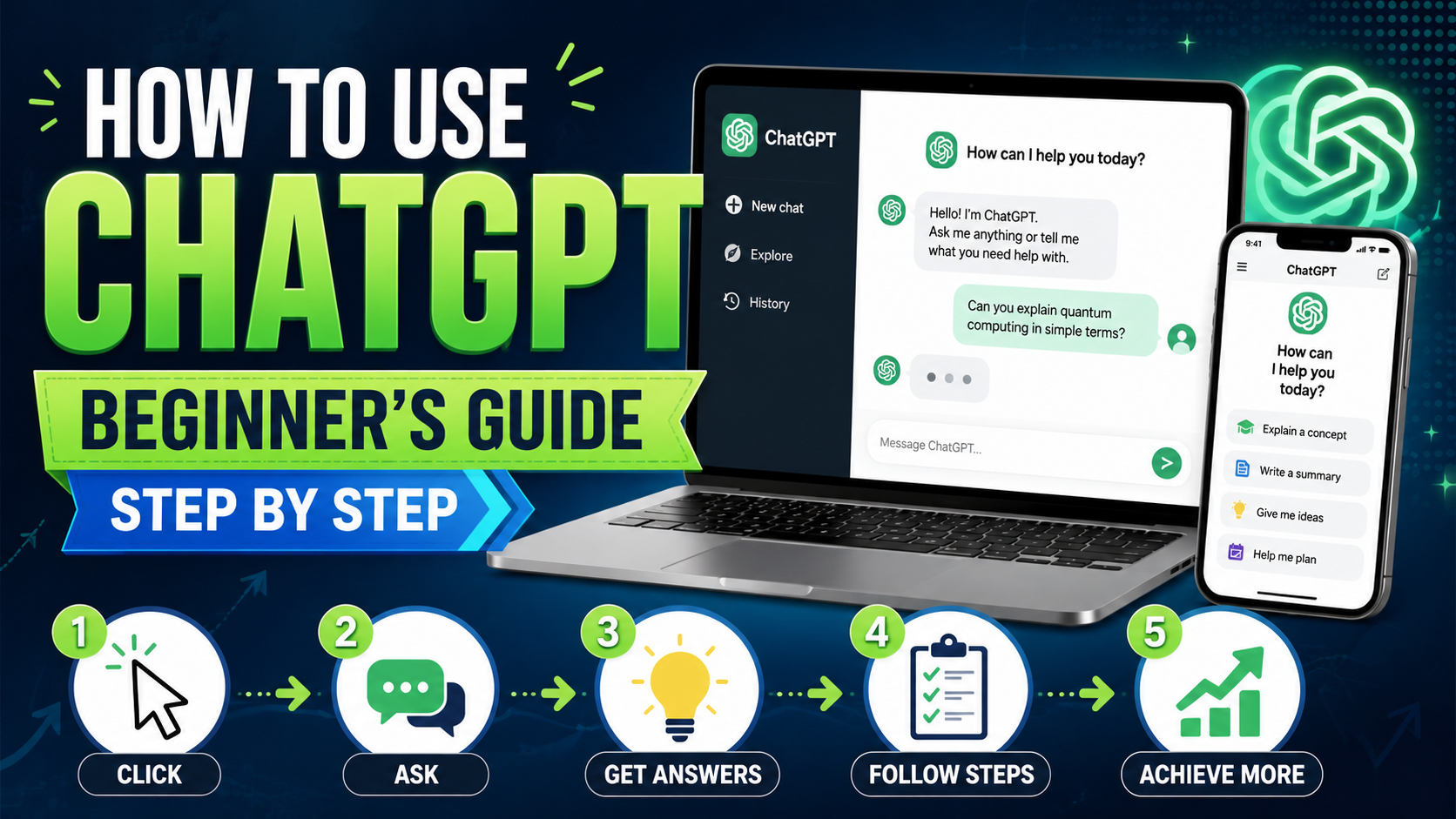
This step-by-step guide will explain how to use ChatGPT for beginners in a practical way. You will learn what ChatGPT is, how to start using it, how to write better prompts, what mistakes to avoid, and how to use it safely for blogging, study, freelancing, business, and daily productivity.
What Is ChatGPT?
ChatGPT is a conversational AI assistant created by OpenAI. You can type a question, instruction, or idea, and it responds in natural language. Instead of only giving short answers, ChatGPT can continue a conversation, remember the context of the current chat, revise its answer, explain things in different ways, and help you complete tasks step by step.
For example, you can ask ChatGPT to:
Explain a difficult topic in simple words.
Write an email draft.
Create a blog post outline.
Suggest YouTube video ideas.
Summarize a long paragraph.
Help fix a coding error.
Generate image prompts.
Create a study plan.
Rewrite content in a professional tone.
Brainstorm business or app ideas.
OpenAI’s ChatGPT capability overview explains that ChatGPT can help with a wide range of tasks, including answering questions, explaining concepts, drafting and rewriting content, analyzing information, and more.
Why Beginners Should Learn ChatGPT Properly
Many people start using ChatGPT by typing short prompts like “write article” or “give ideas.” This can work, but the output is usually basic. If you want better answers, you need to give better instructions.
Learning how to use ChatGPT properly helps you get more accurate, useful, and customized results. A clear prompt can save editing time and make the response closer to what you actually need.
For example, compare these two prompts:
Basic prompt:
Write an article about fashion.
Better prompt:
Write a 1500-word beginner-friendly blog article on “Simple Fashion Tips to Upgrade Your Everyday Style.” Use SEO headings, natural language, examples, FAQs, and an AdSense-friendly tone.
The second prompt gives ChatGPT a clear direction. It tells the topic, length, audience, structure, and tone. This is why prompt quality matters.
Step 1: Open ChatGPT and Create an Account
To start using ChatGPT, visit the official ChatGPT website or use the official app where available. You can sign up with your email, Google account, Apple account, or other supported login methods depending on your location and device.
ChatGPT has a free version, and OpenAI also offers paid plans for users who want more features, higher limits, or advanced access. The official pricing page lists current plan options and features, so it is always better to check there before choosing a plan because features and limits can change over time.
If you are a beginner, start with the free version first. Use it for simple tasks and understand how prompts work. Once you know your needs, you can decide whether a paid plan is useful for your workflow.
Step 2: Start with a Simple Question
After logging in, you will see a chat box. This is where you type your message. You can start with simple questions like:
What is digital marketing?
Explain SEO in simple words.
Write a short email to a client.
Give me 10 blog title ideas about AI tools.
Summarize this paragraph.
Explain this code line by line.
ChatGPT will reply based on your request. If the answer is too short, you can ask it to explain more. If the answer is too long, you can ask it to make it shorter.
A good beginner habit is to continue the same chat instead of starting a new one for every small question. This helps ChatGPT understand the context of your task.
Step 3: Write Clear Prompts
A prompt is the instruction you give to ChatGPT. The better your prompt, the better the result.
A good prompt usually includes:
Topic
Audience
Tone
Format
Length
Purpose
Extra instructions
For example:
“Write a beginner-friendly guide on how to use ChatGPT. Use simple language, headings, examples, FAQs, and a natural blog tone.”
This prompt is much better than simply writing “ChatGPT guide.”
Here are some useful prompt formats for beginners:
For writing:
Write a blog article on [topic] for beginners. Use simple language, headings, examples, and FAQs.
For rewriting:
Rewrite this paragraph in a professional but friendly tone.
For learning:
Explain [topic] like I am a beginner, and give 3 simple examples.
For ideas:
Give me 20 SEO-friendly blog title ideas about [topic].
For coding:
Explain this error and give a corrected version of the code.
For summaries:
Summarize this text in simple points and highlight the main idea.
Step 4: Give Context for Better Answers
Context is very important. ChatGPT can give a general answer without context, but it gives a better answer when it knows what you are trying to do.
For example, instead of asking:
“Write a description.”
Ask:
“Write a Google Play Store long description for an offline puzzle game. The game has no login, no ads, and simple controls. Keep the tone clean and policy-friendly.”
This gives ChatGPT a clear understanding of your goal.
If you are writing a blog post, mention the niche, audience, word count, and style. If you are asking for code, mention the programming language, platform, error message, and expected result. If you are creating a design prompt, mention size, color theme, style, and purpose.
Step 5: Ask Follow-Up Questions
One of the best parts of ChatGPT is that you can ask follow-up questions. You do not need to get the perfect result in one message.
You can say:
Make it more simple.
Add examples.
Make it SEO optimized.
Rewrite it in a friendly tone.
Add a conclusion.
Create FAQs.
Make it shorter.
Give me a better version.
Explain step by step.
Remove repeated points.
This makes ChatGPT feel more like an assistant than a one-time tool. Beginners should use follow-up prompts often because the first answer is not always the final answer.
Step 6: Use ChatGPT for Writing
ChatGPT is very useful for writing tasks. You can use it for blog posts, emails, captions, product descriptions, outlines, scripts, summaries, and social media content.
For blog writing, a smart workflow is:
Choose a topic.
Ask ChatGPT for an outline.
Review the outline.
Ask for each section one by one.
Add your own examples and experience.
Check facts manually.
Edit the final article before publishing.
For AdSense-focused blogging, do not publish plain automated content without improvement. Google says AdSense sites should have high-quality, original content that attracts an audience, and pages should provide unique content and a good user experience.
A good article should include original value, useful examples, clear formatting, and helpful information. If you are reviewing tools, add screenshots, personal testing notes, pros and cons, and honest opinions.
Step 7: Use ChatGPT for Study and Learning
Students and learners can use ChatGPT to understand difficult topics. It can explain concepts in simple words, create practice questions, summarize notes, and help build study plans.
Useful study prompts include:
Explain photosynthesis in simple words.
Create 10 quiz questions from this topic.
Summarize this chapter in easy points.
Make a 7-day study plan for exams.
Explain this math problem step by step.
Give examples of active and passive voice.
ChatGPT can be a helpful learning assistant, but students should use it responsibly. It is better to use ChatGPT to understand topics, not to copy answers without learning.
Step 8: Use ChatGPT for Coding Help
ChatGPT can help beginners understand code and fix simple errors. Developers also use it to create sample code, explain bugs, plan app features, and improve logic.
For coding help, always include:
Programming language
Framework or platform
Error message
Code snippet
What you expected
What actually happened
Example prompt:
“I am building an Android app in Java. This button click is not working. Here is my code and error message. Please explain the issue and give corrected code.”
ChatGPT can be very useful for learning programming, but you should always test the code yourself. AI-generated code can contain mistakes, outdated methods, or logic issues.
Step 9: Use ChatGPT for Images and Design Ideas
ChatGPT can help with image prompts, UI ideas, thumbnail concepts, logo concepts, banners, and design descriptions. OpenAI’s capability overview says ChatGPT can work with images in supported experiences, including analyzing uploaded images and helping create visuals from text instructions.
For example, you can ask:
Create a thumbnail prompt for a fashion blog post.
Suggest a color palette for a mobile app.
Analyze this UI screenshot and suggest improvements.
Create a banner concept for an AI tools review website.
Write a prompt for a clean logo design.
If you are using AI-generated images for a blog, keep them family-friendly, original, and relevant to the article. Add proper alt text for SEO.
Step 10: Use ChatGPT Search for Current Information
ChatGPT can provide web search in supported modes. OpenAI introduced ChatGPT search to help users get timely answers with links to relevant web sources for current topics such as news, sports scores, stock quotes, and other fresh information.
This is important because not every answer should come from memory. If you are writing about current pricing, latest features, exam results, product updates, or recent news, use official sources and verify the information.
For example, if you are writing an article about ChatGPT pricing, check OpenAI’s pricing page. If you are writing about board exam results, check the official board website. If you are writing about a tool review, check the official tool page for updated features.
Step 11: Check Privacy and Data Controls
Before using ChatGPT for personal or business tasks, beginners should understand basic privacy settings. OpenAI’s Data Controls help users manage how their conversations and interactions are used, including options related to model improvement, history, export, and account deletion.
Do not paste sensitive personal information, passwords, private client data, bank details, or confidential business documents unless you fully understand the privacy settings and risks.
For normal writing, learning, and planning tasks, ChatGPT is easy to use. But for private or sensitive content, be careful and review your settings first.
Best Things Beginners Can Do with ChatGPT
ChatGPT can help beginners in many practical ways.
For bloggers, it can create article outlines, meta descriptions, titles, FAQs, and content ideas.
For students, it can explain difficult topics, create study plans, and summarize lessons.
For freelancers, it can write proposals, client messages, service descriptions, and project plans.
For developers, it can explain code, suggest fixes, and generate examples.
For business owners, it can help with emails, product descriptions, marketing ideas, customer support replies, and planning.
For content creators, it can create video titles, thumbnail prompts, scripts, captions, and keyword ideas.
The best approach is to use ChatGPT as a helper, not as a complete replacement for your own thinking.
Common Mistakes Beginners Should Avoid
The first mistake is writing very short prompts. If you give unclear instructions, the answer may be too general.
The second mistake is trusting every answer without checking. ChatGPT is powerful, but it can still make mistakes. Always verify important facts.
The third mistake is publishing raw AI content without editing. This can make your content feel generic. For a blog, always add your own examples, screenshots, opinions, and structure.
The fourth mistake is asking too many things in one prompt. If your request is complex, break it into steps.
The fifth mistake is sharing sensitive information. Be careful with private data.
The sixth mistake is not asking follow-up questions. ChatGPT improves when you guide it.
Best ChatGPT Prompt Examples for Beginners
Here are some ready-to-use beginner prompts:
Blog prompt:
Write a 1500-word SEO article on [topic]. Use a natural blog tone, headings, examples, FAQs, meta title, meta description, and suggested image alt text.
Email prompt:
Write a polite email to [person] about [topic]. Keep it professional, short, and clear.
Learning prompt:
Explain [topic] in simple words with 3 examples and a short summary.
Coding prompt:
Explain this code line by line and tell me how to improve it.
Idea prompt:
Give me 30 unique blog title ideas for [niche]. Make them SEO-friendly and beginner-friendly.
Rewrite prompt:
Rewrite this paragraph in a natural, human, and easy-to-read tone.
Summary prompt:
Summarize this text in 5 bullet points and include the main takeaway.
Tips to Get Better Results from ChatGPT
Be specific. Tell ChatGPT exactly what you want.
Add examples. If you like a certain style, show a sample.
Use follow-up prompts. Ask for changes until the answer fits your needs.
Ask for structure. Tell ChatGPT to use headings, tables, steps, or FAQs.
Check facts. Verify important information before using it.
Edit the final content. Add your own voice and experience.
Keep prompts simple. Long prompts are useful, but they should still be clear.
Use one chat for one project. This keeps the context clean.
Is ChatGPT Good for Beginners?
Yes, ChatGPT is a good tool for beginners because it is easy to use and flexible. You can start with simple questions and slowly learn advanced prompts. It can help with writing, learning, planning, coding, research, and creative tasks.
The main thing is to use it wisely. ChatGPT can speed up your work, but it should not replace your own judgment. If you are publishing content, always edit it. If you are using it for research, verify facts. If you are using it for code, test everything.
AdSense-Friendly Use of ChatGPT for Blogging
If you want to use ChatGPT for a blog, use it as an assistant. Do not create a website full of copied, thin, or low-value content. Google AdSense requires publishers to follow AdSense Program policies, and Google notes that sites may face issues if they lack sufficient original, rich content or have poor navigation.
For AdSense approval, your blog should have:
Original articles
Clear navigation
About page
Contact page
Privacy Policy page
Helpful categories
Enough text content
Original images or screenshots
No misleading claims
No copied content
Good user experience
If you publish AI tool guides, add your own screenshots, personal testing notes, updated pricing checks, pros and cons, and honest final verdicts.
Conclusion
ChatGPT is one of the easiest AI tools for beginners because it works like a conversation. You can ask questions, write prompts, request edits, generate ideas, learn topics, create drafts, get coding help, and improve your daily workflow.
The key to using ChatGPT well is simple: give clear instructions, add context, ask follow-up questions, and review the final answer. It can save time and help you work smarter, but it still needs human checking.
For beginners, the best way to start is with simple tasks like summaries, email drafts, blog outlines, study explanations, and idea generation. As you get comfortable, you can use it for bigger projects like content planning, coding help, SEO articles, app ideas, and business workflows.
ChatGPT is not a magic solution, but it is a powerful assistant when used properly. If you learn how to prompt it clearly and edit the results carefully, it can become a valuable tool for learning, writing, freelancing, blogging, and productivity.